
Planning is the hard part. Getting from “I have five exams and no idea where to start” to “tonight, 40 minutes on quadratics” takes energy that neurocomplex brains, including ADHD and dyslexic ones, often spend just holding everything in. Pip does that first step with you. You always see what Pip made before anything is added, and you can change or untick any of it.
What Pip does
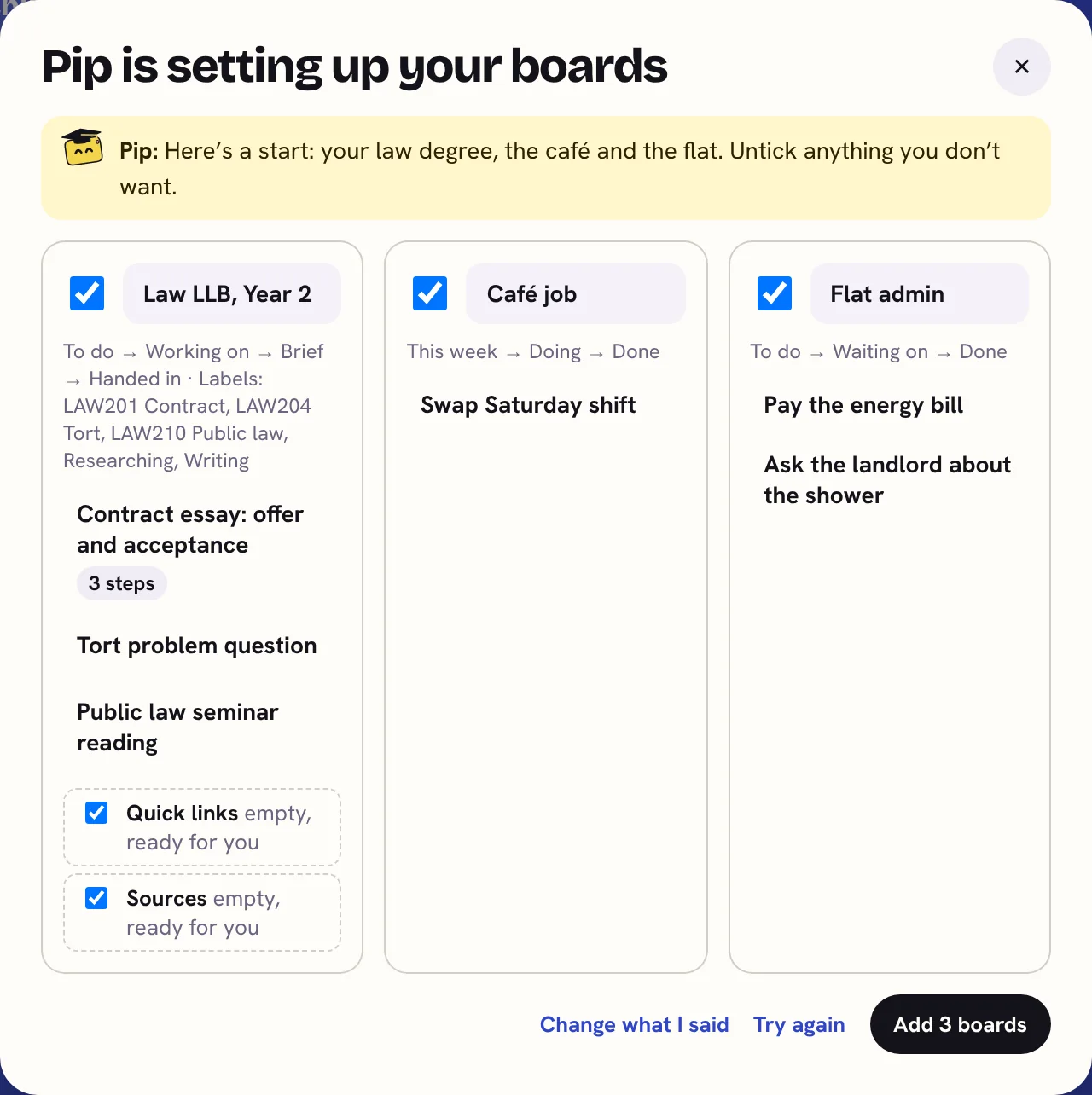
- Sets up your boards: when you first open KanBananza, say what’s going on (exams, a job, a move) and Pip suggests up to three boards, with columns that fit and first cards.
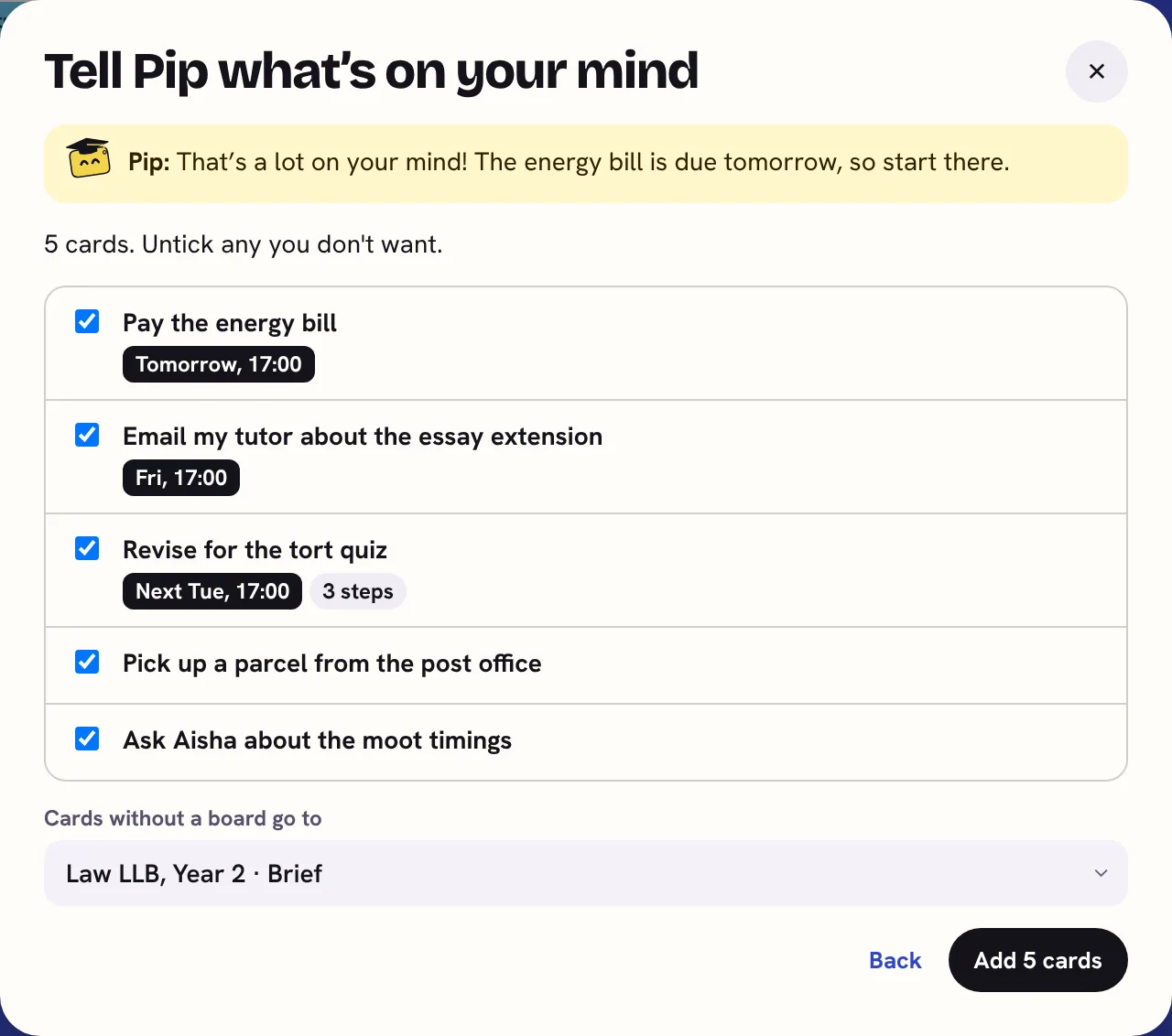
- Empties your head: Tell Pip what’s on your mind turns a messy brain dump into separate cards, with dates, boards and labels.
- Makes a big plan: revision across every subject, a dissertation, a PhD or a house move, as dated cards with rest days.
- Plans an assignment: paste the brief and get three to six dated milestones with small steps, worked back from the deadline. See how to plan back from a deadline.
- Designs a board: one sentence becomes a board whose columns follow the real stages of the work.
- Breaks it down: three to six small steps for a card that feels too big to start.
- Explains simply: long notes or a dense brief as a few plain bullet points, with every date and number kept. Your original stays.
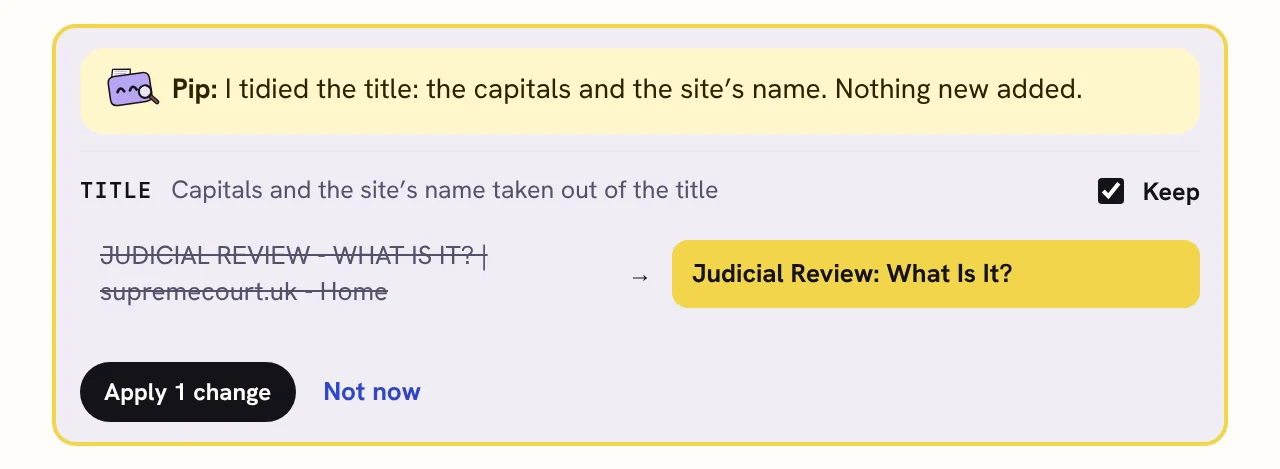
- Tidies your references: fixes the capitals and the order of names in a source’s details, and shows you every change first. It never adds details that weren’t there.
Things you can say
- “My GCSE mocks start on 7 December. Maths, biology, chemistry, English and history. Chemistry is my weakest.”
- “Need to email Jo about the report before Tuesday, book the dentist, Sam’s birthday Saturday, car MOT due end of the month.”
- “I’m a second-year nursing student with placements.”
- “I’m starting a 3-year PhD on microplastics in UK rivers.”
What Pip won’t do
- Write your assignments. Pip plans, breaks down and explains. The ideas, the reading and the writing stay yours.
- Find or invent sources. References are made on your computer from the details you saved, and Pip’s tidy can’t add new ones.
- Add anything without asking. Every result is shown first, and nothing changes until you say so.
- Chat about anything. Pip does these jobs and nothing else, so it stays quick and focused.
Schools and universities have their own rules about AI. Planning help is usually fine, but check your course handbook.
Pip dresses for your board
Nearly 100 costumes: one for each board type, from studying and nursing to cafés, trades and gaming, plus the seasons, the holidays you celebrate, your birthday and other big days, and shades when you hide your cards. With a plan with Pip, choose Pip’s costume yourself, or have a new one every day. Just for fun, and you can turn it off in Settings → Pip.













Private by design
- Nothing is sent unless you press one of Pip’s buttons, and then only what that job needs, like the text you typed or a source’s details.
- It goes to KanBananza’s AI server to work out the answer. We don’t keep it, and it isn’t used to train AI.
- Your boards stay on your computer, as always. See the privacy policy.
How to get Pip
- Free week: your free week starts when you install KanBananza. Try each thing Pip does 5 times, no card needed.
- Yearly with Pip: Full Bananza plus Pip, £9 a year.
- Lifetime plus Pip: Full Bananza for good, plus Pip for 3, 5 or 7 years. £29, £35 or £42, paid once. Studying? It’s our degree bundle, sized to your course.
- Already have Lifetime? Add Pip for £4 a year, or pay once for 3, 5 or 7 years (£12, £17 or £23).
The plain yearly plan and Lifetime don’t include Pip. Prices are in pounds; the checkout shows your own currency. See pricing.
Try Pip free for a week. KanBananza is free for Chrome, Edge and Firefox, with no account.
Add to Chrome, it's free