
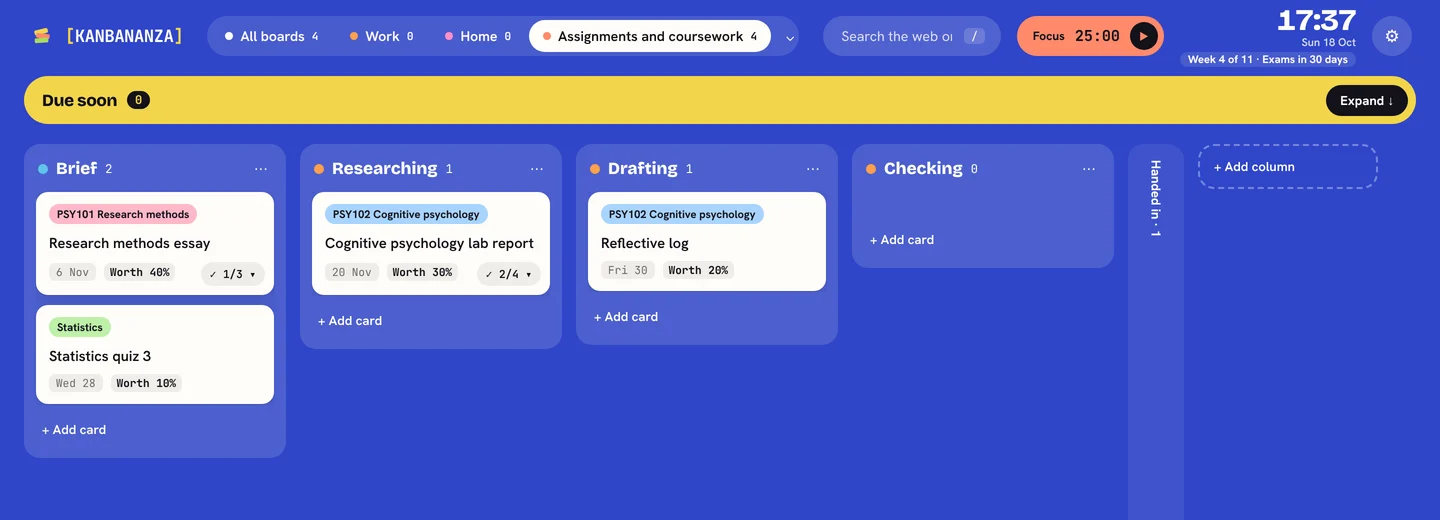
At uni, nobody reminds you. Deadlines live in Moodle or Canvas, your timetable is somewhere else, and every module has its own way of doing things. With ADHD or dyslexia, keeping all of that in your head is hard work. KanBananza puts it in one calm place you see every time you open a tab. It isn't a treatment, just an easier way to keep track.
Your modules, set up in one go
Type your modules once, one per line, and each becomes a coloured label. Add a label to any card, or type ! and the start of its name in quick add, like !PSY101. You can make a board for each module too. Free.
Every deadline in one place
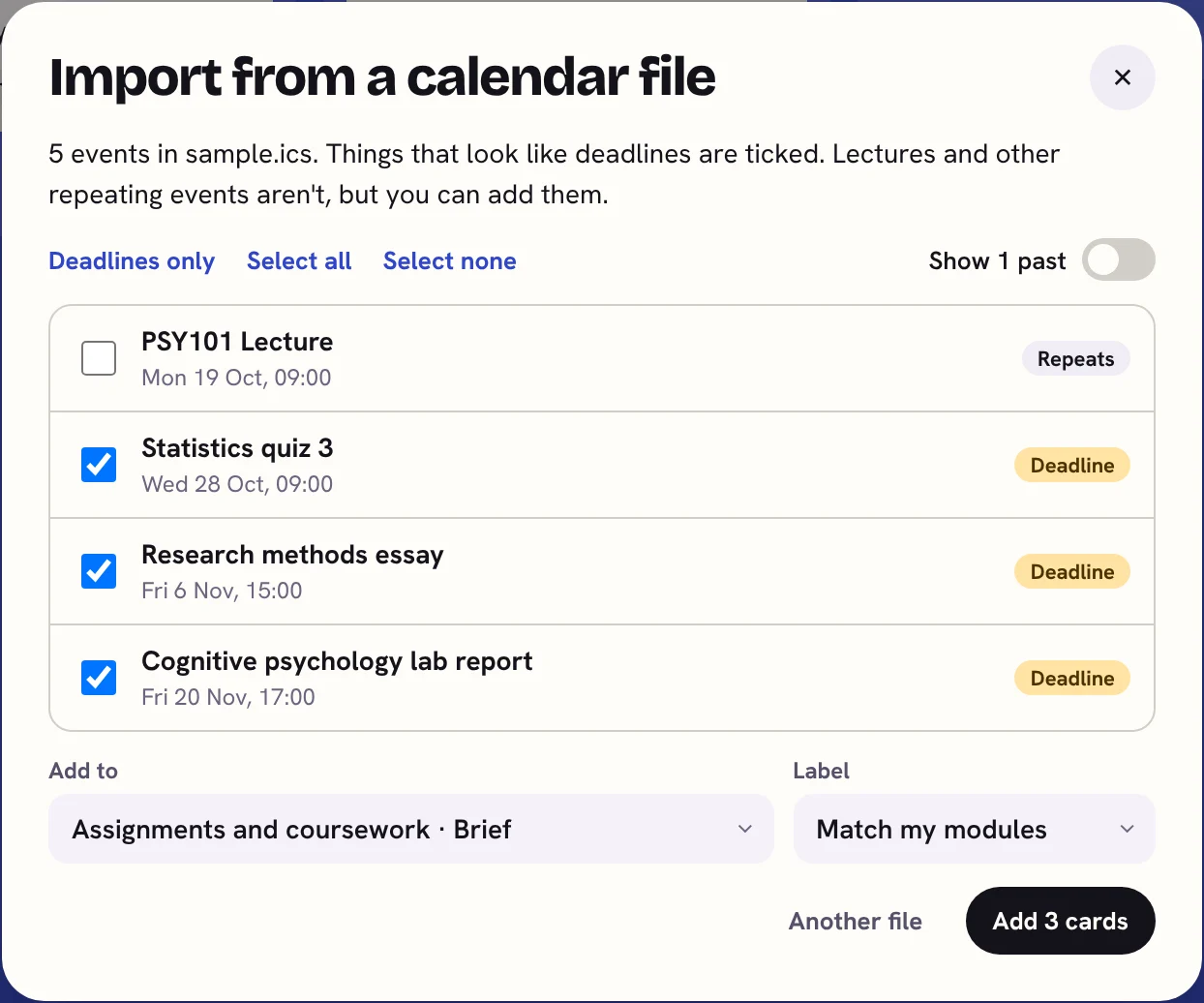
Download your calendar from Moodle, Canvas or your timetable system as a .ics file and import it. Things that look like deadlines are ticked for you; lectures and other repeating events aren't, unless you want them. Module codes like PSY101 are matched to your module labels. Each one becomes a card with its due date, and importing the same file again never adds anything twice. The file is read on your computer and never sent anywhere. (Full Bananza)
Know what each assignment is worth
Note what an assignment is worth and, later, the mark you got. Type Lab report worth 30% due Friday in quick add and both are set for you. Pick one for me then puts the assignments that count most near the top. (Full Bananza)
Which week is it?
Add your term or semester dates in Settings and the clock shows Week 4 of 11, with a countdown to exams when they're six weeks away. No more working it out from the calendar. Free.
Boards for the whole degree
Free ready-made boards with the steps already in: Starting uni, Uni term, Assignments and coursework, Exam season, Exam revision, Essay or dissertation, Dissertation chapter by chapter, Group project, Placement or internship hunt, Student money and house, and Thesis or research project.
For the days starting is the hard part
- Pick one for me suggests a single card and says why.
- Just this card fills the screen with one card and a focus timer (Full Bananza).
- Show the timer as a shrinking disc, so you can see time running down.
- The OpenDyslexic font, wider spacing and colour overlays are free. See the dyslexia-friendly planner guide.
Support you can ask for
- In the UK, Disabled Students' Allowance (DSA) can help pay for study support and equipment if you're dyslexic or have ADHD.
- In the US and elsewhere, your college's disability services office can arrange accommodations, such as extra time in exams.
- Either way, your university's disability or wellbeing service is the place to start. The Starting uni board has a card to remind you.
Private, with no account
Your boards, modules and marks stay in your browser on your computer. There's no sign-up and nothing to share with your university. If you use more than one computer, Full Bananza can sync through your own Google Drive, encrypted first (Chrome and Edge).
KanBananza is free for Chrome, Edge and Firefox. No account, no tracking, and every accessibility option included.
Add to Chrome, it's freeAlso for Edge and Firefox. Full Bananza from £5 a year, or try it free for 7 days.