Peel, for referencing
Your sources, quotes and references, in one place.
Peel is our free referencing app. Save sources as you read, quote PDFs with their page numbers, and copy references in your style, including 35 universities’ own Harvard. It works on its own, or linked with KanBananza.
How KanBananza, Peel and Pip fit together
Plan the work in KanBananza. Keep its sources in Peel. Pip helps in both.
 KanBananzaPlan it: a board with a card for each step, dated back from the deadline.
 PeelReference it: sources, quotes with page numbers, and the reference list.
 Pip, the AI helper, works in both: plans in KanBananza, explains referencing rules in Peel.
What’s a Peel project?
A Peel project is one piece of work and everything you’re reading for it. Make one for each essay, report or piece of research.
Link it to a KanBananza board and its sources and quotes show on the board’s Sources stack.
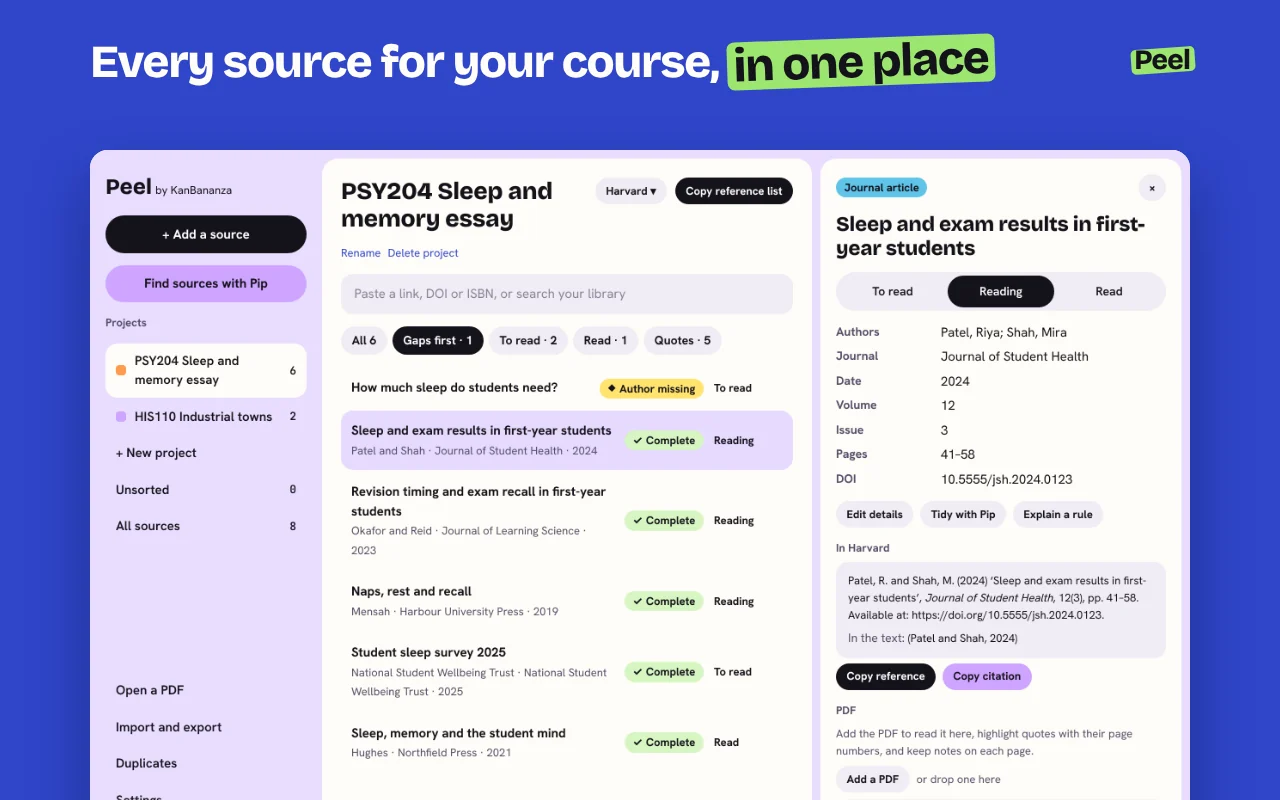
One project for each piece of work
An essay, a report, a dissertation chapter or a piece of research at work. It holds that work’s sources, the quotes you saved from them, and its reference list.
Sources, saved as you read
Click Peel on any page, or paste a DOI, ISBN or link. Peel fills in the title, authors and date, and shows anything still missing.
Quotes with their page numbers
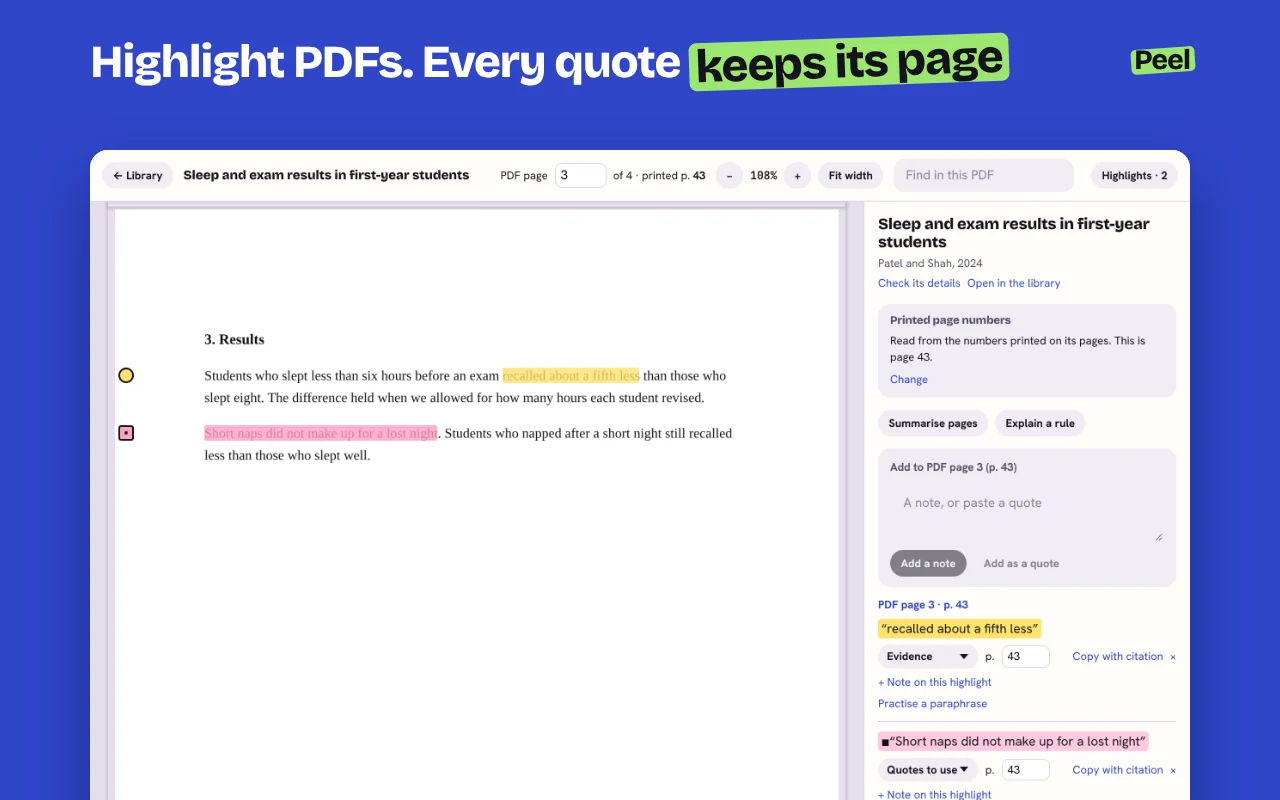
Highlight words on a page or in a PDF. Each quote keeps the page it came from, ready for your citation.
Checked against the brief
Paste the brief and mark its limits. Peel checks your sources against them: the years, how many of each kind, and the style.
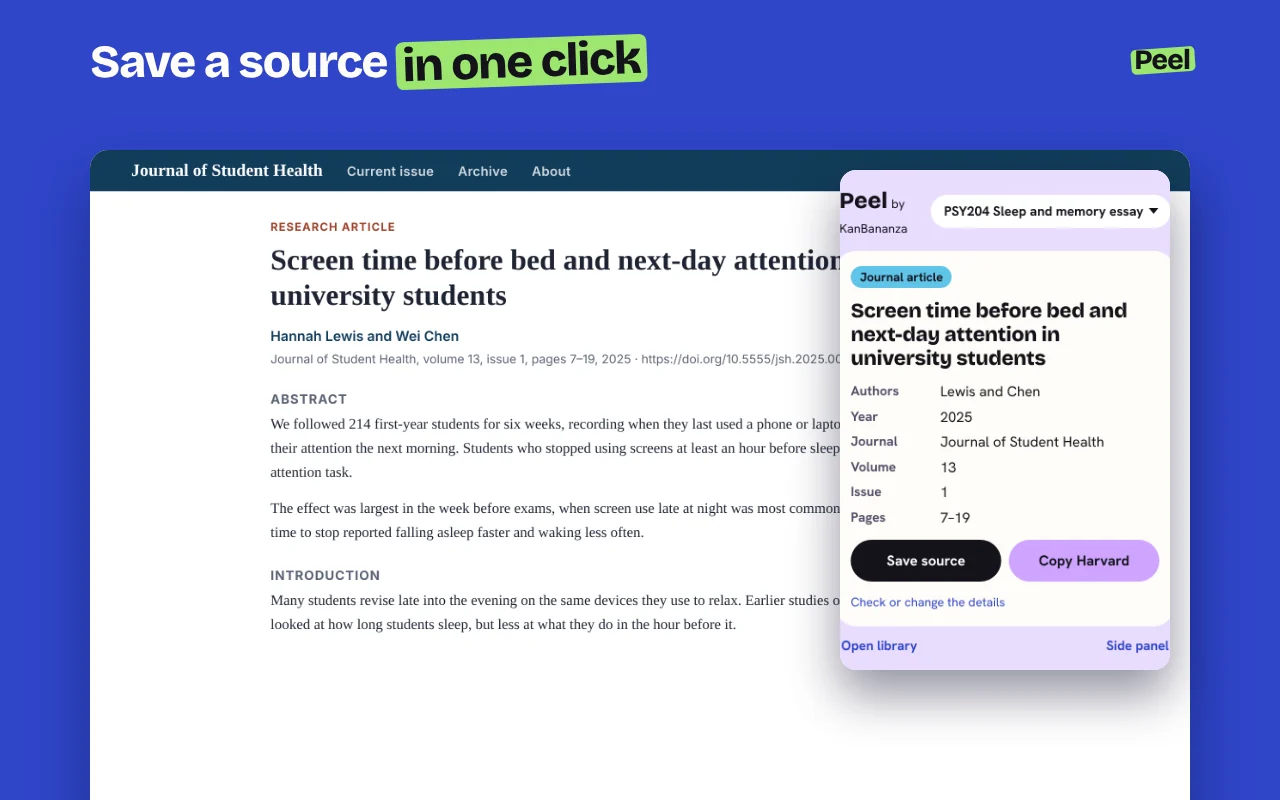
Save a source in one click
Peel reads the page on your computer: the title, authors, date and publisher. Nothing is sent anywhere to do it.
Highlight PDFs. Every quote keeps its page.
Open a PDF in Peel’s reader and highlight in four colours. Each highlight becomes a quote, with the page number printed on the page.