
For work and projects
Work and projects, without the overwhelm.
Projects, follow-ups, a job hunt or a new job. A board for each, everything due soon in one place, and Pip to turn a messy list into a plan.
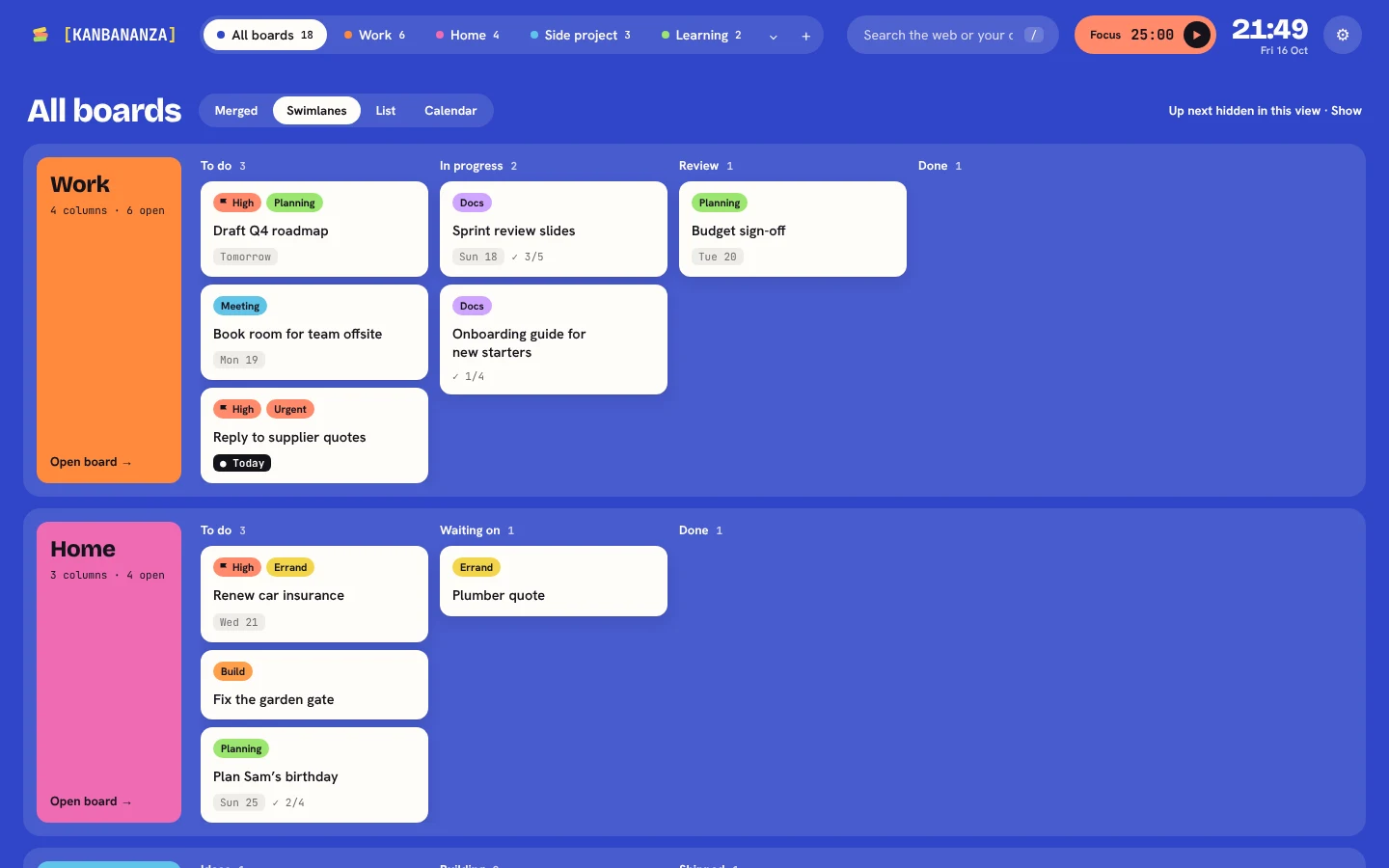
Every project, side by side
See every board at once as swimlanes, as one sorted list, or on a calendar. Up next shows what’s due soon and what you’re waiting on.
Ready-made work boards
Project delivery, a software sprint, product discovery, team leadership, comms, starting a new job and a job hunt.
Quick add
Type “Send the report Friday 10am #work” and the date, board and label fill in.
Every board at once
All your projects side by side as swimlanes, as one list, or on a calendar (Full Bananza).
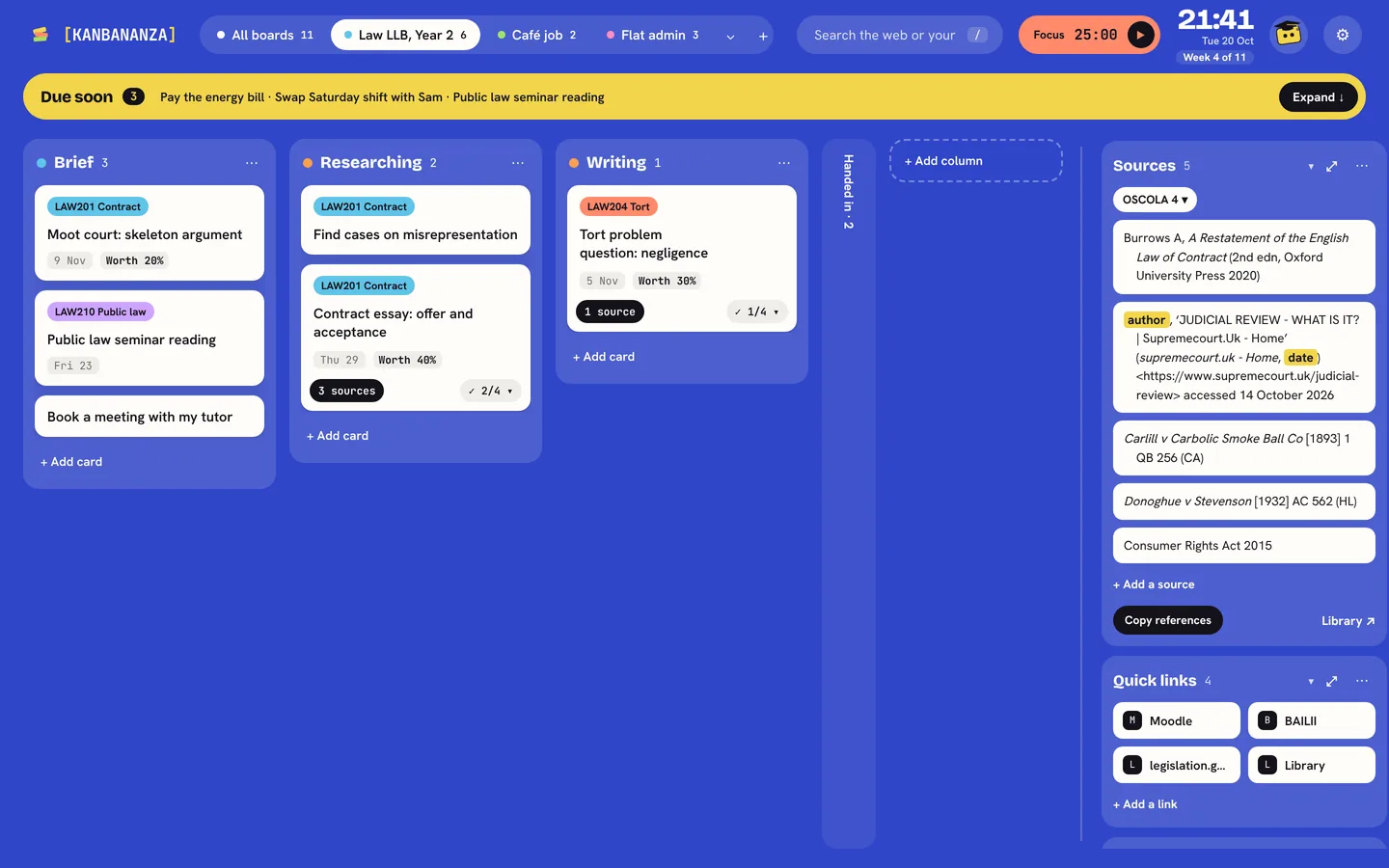
Quick links and Keep handy
The sites you use for a project, one click away, and short notes beside the board (Full Bananza).
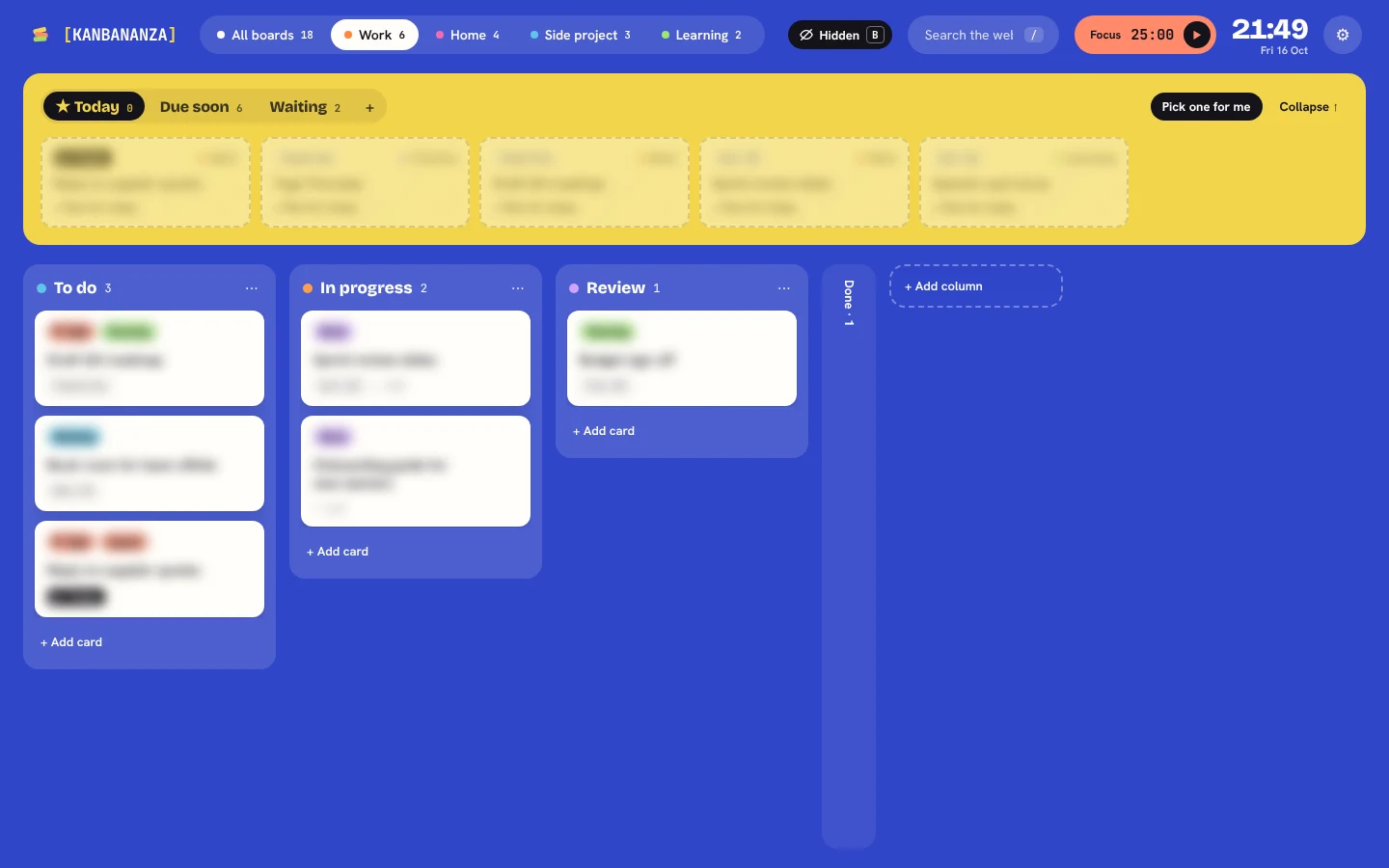
Press B to blur
Every card frosts over when you share your screen in a meeting.
Passcode lock
Encrypts your boards on your computer (Full Bananza).
Links and notes beside the board
Save a page for later with a right-click. Keep a project’s links and handy notes in stacks next to its board, not on it.
Sharing your screen? Press B.
Every card frosts over, or its letters scramble, so you can share a board in a meeting without showing what’s on it.
KanBananza is free in your browser, nothing to install. No account, no tracking, and every accessibility option included.
Also as an app for Mac and Windows. Full Bananza from £9 a year, or try it free for 7 days.